CLI-Anything: Turn Any Software Into an Agent-Native CLI
How HKUDS/CLI-Anything's 7-phase harness pipeline and CLI-Hub let AI coding agents control Blender, GIMP, LibreOffice, and internal tools via --json.
Q. How can AI coding agents reliably control GUI-centric desktop apps or internal tools? With
HKUDS/CLI-Anything, you can analyze an existing software codebase and automatically generate a dedicated CLI harness featuring--jsonoutput, a stateful REPL, and an agent-discoverableSKILL.md. Instead of fragile screenshot clicking (RPA) or stripped-down wrappers, it delegates directly to the real application's rendering and conversion backend.
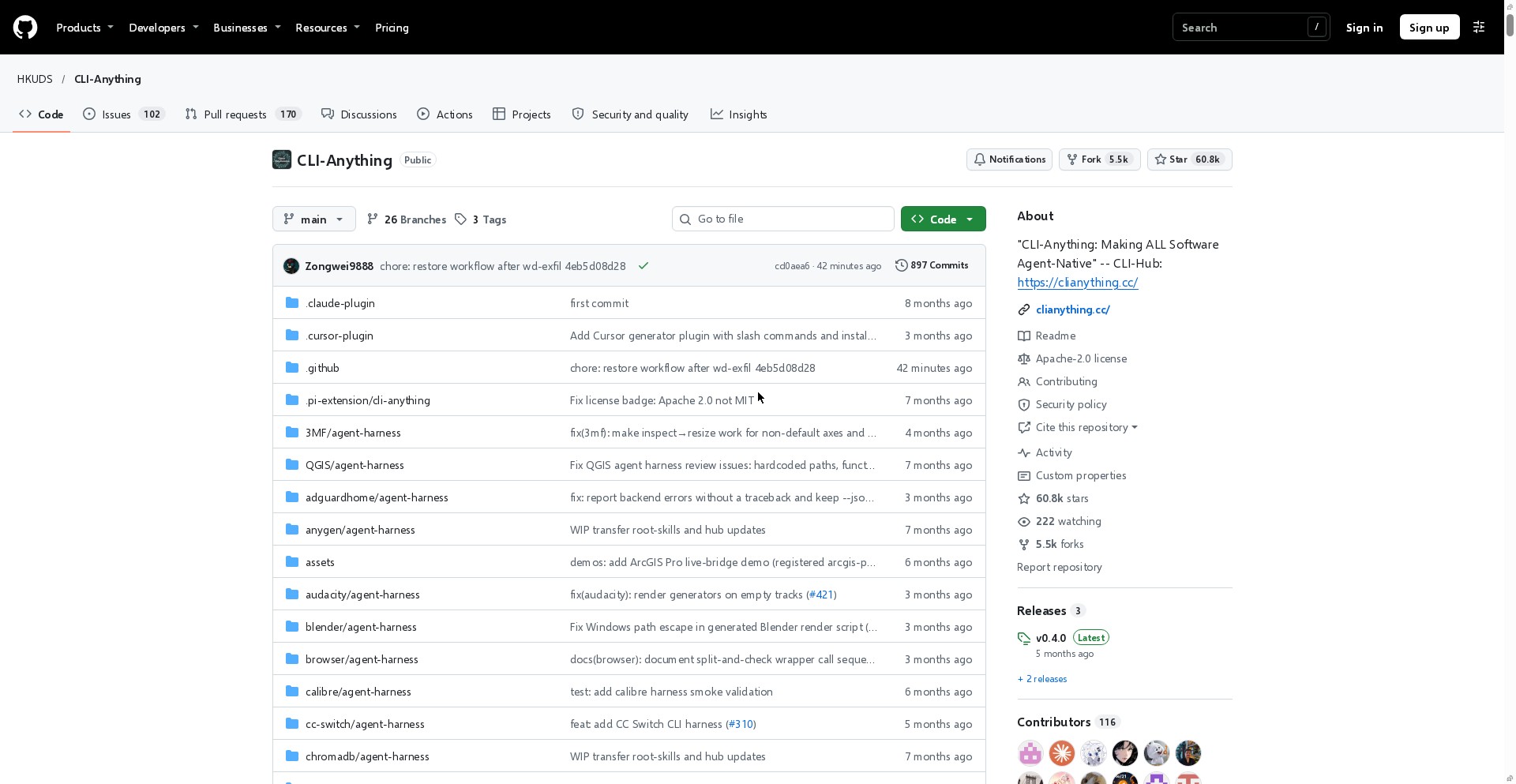
⚠️ Accuracy guardrail: This guide was written on November 20, 2026, based on direct verification of the official
HKUDS/CLI-AnythingGitHub repository (v0.4.0, 60.8k stars, 5.5k forks) andclianything.ccdocumentation. Star counts and supported software registries evolve continuously, and generated harness quality depends on the frontier model used and whether target source code is available.
30-second summary
- Why it is trending: Ranked #3 on GitHub Trending on November 20, 2026 (60.8k total stars), enabling AI agents to operate real software such as Blender, GIMP, LibreOffice, FreeCAD, and Obsidian via CLI.
- Two entry points: Offers both
cli-anything-hub(pip install cli-anything-hub) for ready-made harnesses and a 7-phase generator pipeline (/cli-anything) for building new CLIs from any codebase. - Key differentiator: Avoids pixel-based UI automation by generating valid project formats (ODF, SVG, MLT XML) and invoking real backends with structured
--jsonresponses. - Agent compatibility: Supports Claude Code, Cursor, Codex, OpenClaw, Pi, and OpenCode, automatically exporting
SKILL.mdso agents can discover and invoke tools autonomously.
Limits of GUI Agents and CLI-Anything's Approach
The biggest bottleneck when AI agents operate browsers or desktop apps is fragile UI automation. Slight layout shifts break coordinate clicks, and passing screenshots at every step drives up token cost and latency. Conversely, building simplified wrappers from scratch strips away the advanced features professionals actually rely on.
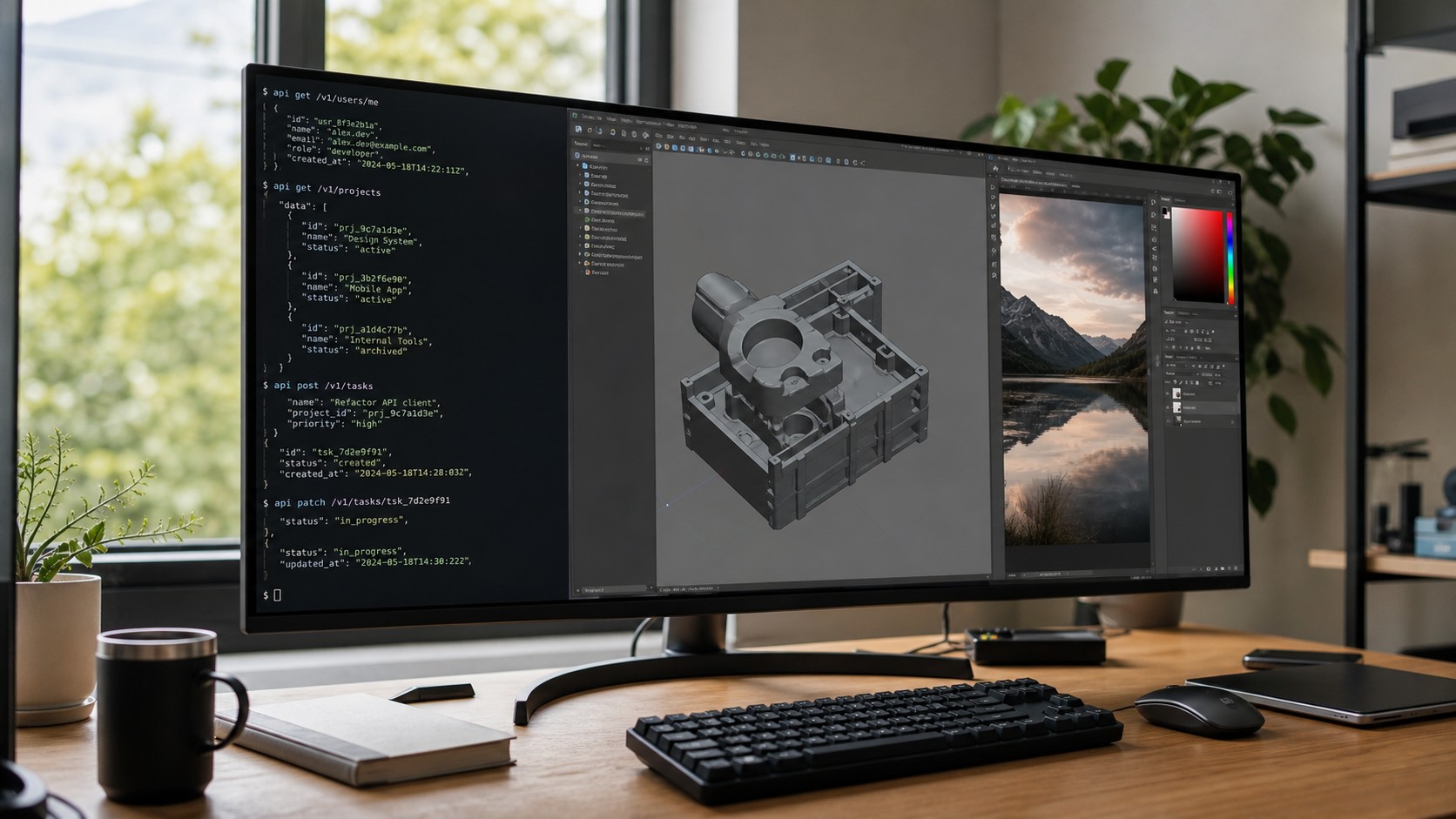
CLI-Anything flips the problem around. While graphical interfaces suit humans, a CLI (Command Line Interface) is the most deterministic and composable interface for text-native AI agents.
| Aspect | Traditional GUI / Screenshot Agents | CLI-Anything Harness Approach |
|---|---|---|
| Control mechanism | Screen capture + coordinate/DOM clicks | Structured subcommands & stateful REPL |
| Output format | Requires visual re-interpretation | Standardized --json output for direct parsing |
| Execution backend | Tied to UI responsiveness | Invokes real backends (blender --background, libreoffice, etc.) |
| Agent discovery | Requires manual prompt instructions | Self-describing --help & auto-generated SKILL.md |
| Regression testing | Brittle under UI updates | Unit + real-backend E2E + CLI subprocess tests |
The 7-Phase Harness Pipeline and Design Principles
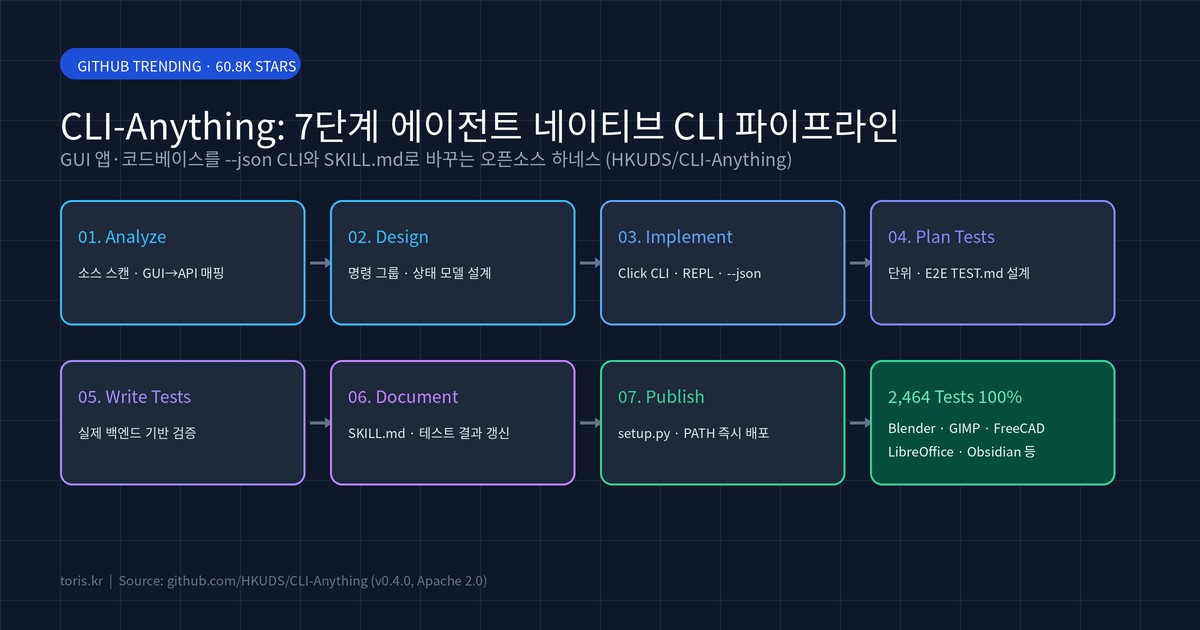
When you want to make a new software project or internal tool agent-native, a single /cli-anything <path-or-repo> command triggers the 7-phase pipeline defined in HARNESS.md.
- Analyze: Scans source code and maps GUI actions to internal APIs and data models.
- Design: Architects coherent command groups, state management (including undo/redo), and JSON schemas.
- Implement: Builds a Python
clickCLI with a unified REPL (repl_skin.py) and--jsonmode. - Plan Tests: Drafts
TEST.mdcovering both unit checks and real-artifact E2E validation. - Write Tests: Runs synthetic unit tests alongside real backend invocations verifying magic bytes (such as
%PDF-) and rendered outputs. - Document: Updates
TEST.mdand extracts Click decorators viaskill_generator.pyto generateskills/cli-anything-<app>/SKILL.md. - Publish: Packages
setup.pyfor immediate PATH installation viapip install -e ..
According to the official repository, more than 30 harnesses built with this methodology (including GIMP, Blender, Inkscape, Audacity, LibreOffice, Draw.io, FreeCAD, Kdenlive, Obsidian, and n8n) maintain a 100% pass rate across 2,464 tests. Notably, tests fail rather than skip when the real backend binary is missing, guaranteeing authentic execution instead of mock illusions.
Q. Does a single generation pass cover 100% of an app's features? Not always. Complex desktop suites may miss edge filters or sub-menus on the first pass. The official workflow recommends running
/cli-anything:refine <path> "focus area"iteratively to close coverage gaps.
Installing Ready-Made Harnesses via CLI-Hub
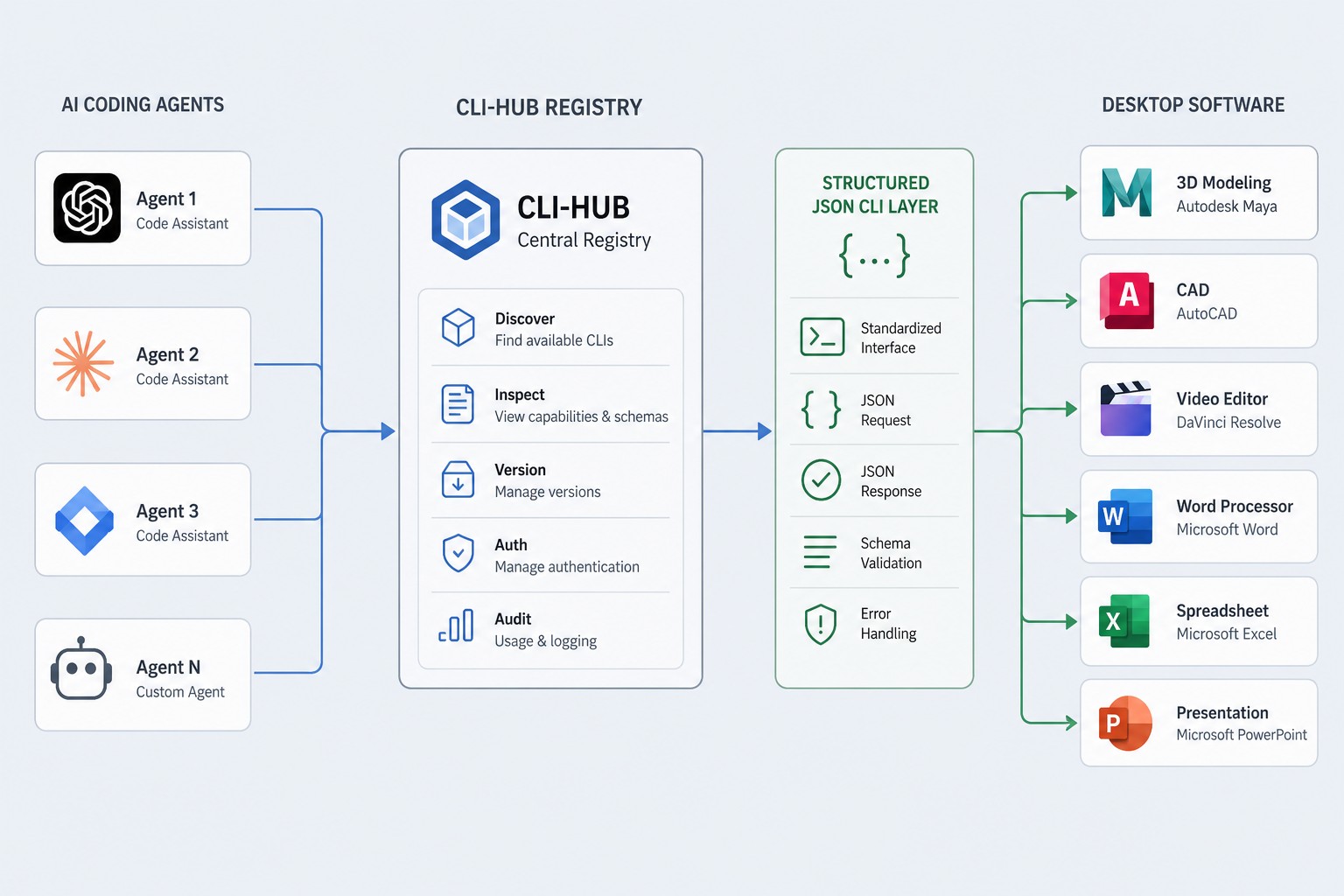
If you prefer using verified harnesses rather than generating one from scratch, CLI-Hub (clianything.cc) serves as the central package registry. There are two tracks: direct terminal installation for developers and meta-skill setup for autonomous agents.
To install and test harnesses directly in your terminal:
pip install cli-anything-hub
cli-hub list
cli-hub search image
cli-hub install gimp
cli-hub launch gimp
To let coding agents discover and install tools autonomously, register the meta-skill with one npx skills command:
npx skills add HKUDS/CLI-Anything --skill cli-hub-meta-skill -g -y
Once installed, prompting an agent with "Find appropriate CLI software in CLI-Hub and complete the task: ..." lets it query the registry, read the target SKILL.md, and run commands with --json. Keep in mind that harnesses wrapping desktop software (such as Blender or LibreOffice) still require the upstream application installed locally.
This structured execution model pairs naturally with workflows like controlling coding agents remotely via T3 Code and our development process at Toris Studio.
Practical Limitations to Check Before Adoption
The repository's Limitations section highlights three clear boundaries:
- Source code dependency: The 7-phase generator analyzes source code. Closed-source apps distributed only as compiled binaries see sharply degraded coverage unless wrapped via official SDKs or an MCP bridge (as done with ArcGIS Pro).
- Frontier model requirement: Reliable 7-phase analysis and E2E test synthesis require frontier-class coding models; smaller models often produce incomplete wrappers needing manual fixes.
- Iterative refinement: Production readiness typically requires one or more
/refinepasses after initial generation.
Toris's take
For solo builders and small teams building automation pipelines, desktop tools without public APIs used to mean either giving up or maintaining brittle RPA scripts. CLI-Anything solves this cleanly by keeping the real software backend intact while adding the --json CLI and SKILL.md layer that modern agents handle best.
- Start right away if: You want coding agents to automate document conversion (LibreOffice), 3D/diagramming (Blender, Draw.io), or local knowledge workflows (Obsidian, Zotero) using pre-built harnesses from
cli-anything-hub. - Generate a custom harness if: You maintain internal Python/TypeScript tools or open-source software without a CLI and want Claude Code or Cursor to operate them deterministically.
- Look elsewhere if: Your target is a closed-source commercial GUI app with neither source access nor an official SDK—browser automation or vendor APIs remain safer there.
Related Resources
- Charis — Practical AI Tools & Model Guides
- Haris — Entertainment & Content Curation
- Saris — Policy & Everyday Benefits Guide
Sources
Advertisement