Motion Graphics and AI, Thoughts From Uploading Architecture Videos With Grok Bot
Notes from using Grok Bot to upload videos for an architecture YouTube channel: how fast motion graphics production is changing, and the judgment that still remains in video work.

Joohwan Yu · Founder, Full Stack Developer
Toris · Published
Contents
Uploading architecture videos to YouTube with Grok Bot (그록봇) has slightly changed how I look at video production. In development, handing code and repetitive tasks to AI has become familiar. Now a similar change is happening in making on-screen motion and the raw material of video.
The channel is The Birth of Cities (도시의 탄생). It is connected to the former Archicut (아키컷) address, and it carries videos that unpack buildings and cities through short questions. Examples include a Short about the building in front of Jongmyo and UNESCO and a Short asking why a skyscraper twists, topics that make you see familiar buildings from a different angle.
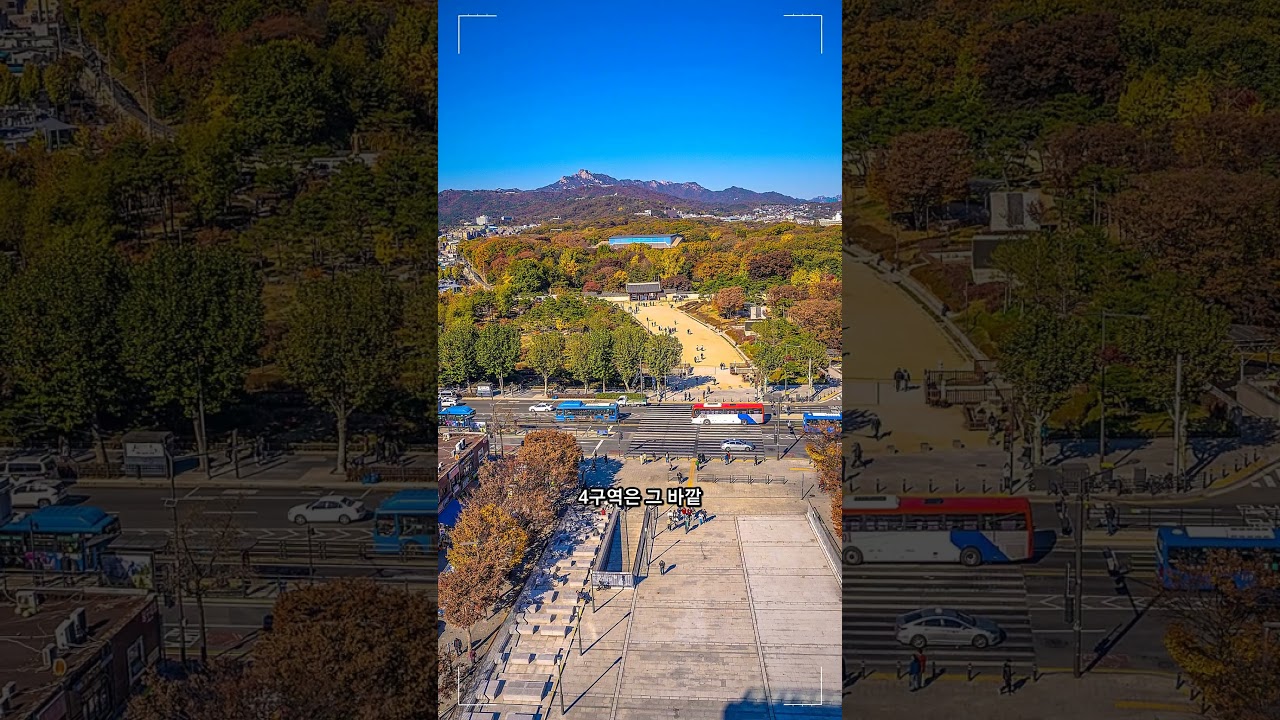
YouTube-provided thumbnail of the Short about the building in front of Jongmyo. Click the image to jump to the video below.
Uploading videos like these left me with one thought. Even when a video is short, deciding what to show and what to leave out takes longer than you would expect. And AI is quickly changing the production tools that sit in front of that decision.
The Way Motion Gets Made Is Changing
When you think of motion graphics, keyframes come to mind first. You set the time a piece of text comes in, the speed of a camera move, and the moment a shape stops, then adjust bit by bit until the screen flows naturally. With 3D, camera tracking, templates, and various plugins added on top, the range of what can be expressed has widened.
Even in a short architecture video, motion needs a reason. The screen you need differs depending on whether you want to show the overall shape of a building, compare the distance between two places, or point to one part of a complex structure. Even the same zoom effect communicates differently depending on where the eye is directed and whether there is time to read the explanation.

YouTube-provided thumbnail of the Short about the shape of a skyscraper. You can watch the video directly below.
AI tools are now moving into that production process. According to Adobe’s After Effects AI Assistant overview, features for organizing layers and writing expressions in natural language, and for generating images and video, are offered in beta. Premiere’s Generative Extend generates frames before or after a clip to extend the time you need for editing.
These examples do not mean that any particular channel used those features. What caught my attention is that video generation has begun to enter the workflow of editors and motion design tools rather than staying on a separate experimental screen.
The Excitement and Unease of Being Able to Make Things Fast
It is still amazing to describe a scene in words and get a moving result back. Even alone, you can think through the mood or composition of a shot in several directions, and there is room to imagine scenes that used to be hard to try. For someone who was interested in video but daunted by the tools and the amount of work, it can be an entry point.
At the same time, it is unfamiliar and a little unsettling that AI is going deep into video too. Automation is being applied even to work people spent time learning, like syncing subtitles, compositing images, and drafting rough versions. As repetitive work shrinks, the role and cost of the people who handled it can be affected. The fact that results arrive quickly and the question of whom that change affects, and how, have to be thought about separately.
The change I felt resembles the first time I used AI actively in development. When results come back faster, there is more for me to choose and verify. In video, that difference shows up on screen immediately. If a plausible-looking building’s exterior differs from the real one, or the shape and structure of windows change while the camera moves, it gets in the way of understanding the story.
In Architecture Videos, You Have to Check That the Visuals Are Plausible for the Right Reasons
Architecture deals with real places, history, and spaces where people have lived. Even when a video asks an interesting question, explanations about a building’s location, period, and structure have to match the sources. AI-generated images in particular can look like real photographs, so it is necessary to distinguish scenes made as reconstructions or imagination so that they are not mistaken for real records.
So the points I want to keep checking when preparing a video are clear: what material the story’s claims rest on, whether the visuals properly explain that basis, and whether the source and terms of use of the images and music are in order. The shorter the video, the more a single sentence and a single scene decide the overall impression.
It is also important to check the results uploaded through Grok Bot. I have to look for myself at whether the title and description match my intent, whether the beginning and end of the video were cut off, and whether the subtitles are readable on a small screen. The upload work and the review of the video viewers will actually see each have their own things to check.
What I Find Myself Asking More of People Who Make Video
Even when I like a scene AI made, I think I should be able to explain why that scene goes there. Judging whether a shot of the whole building is needed, whether a single map would be more accurate, or whether reducing the motion would let the content come through better is still at the center of the production process.
Going forward, I suspect that a sense for choosing the visuals that fit the story you want to tell will matter as much as how many tools you know. This is also why you learn the basics of motion graphics: timing, composition, and legibility. To fix or throw out what AI made instead of accepting it as is, you have to know what feels off.
When I previously wrote up Toris Studio’s voice and video workflow, I also tried to separate generated files from reviewed results. This time that thinking extended to on-screen motion. When I watch the next video, along with admiring the flashy scenes first, I want to look at whether those scenes help me understand the building and the story better.
Advertisement