Multica Guide: Turn Claude Code and Codex into Board Teammates
How multica-ai/multica v0.11.1 orchestrates 31 coding-agent CLIs on one Kanban board, plus what its source-available Multica License allows and restricts.
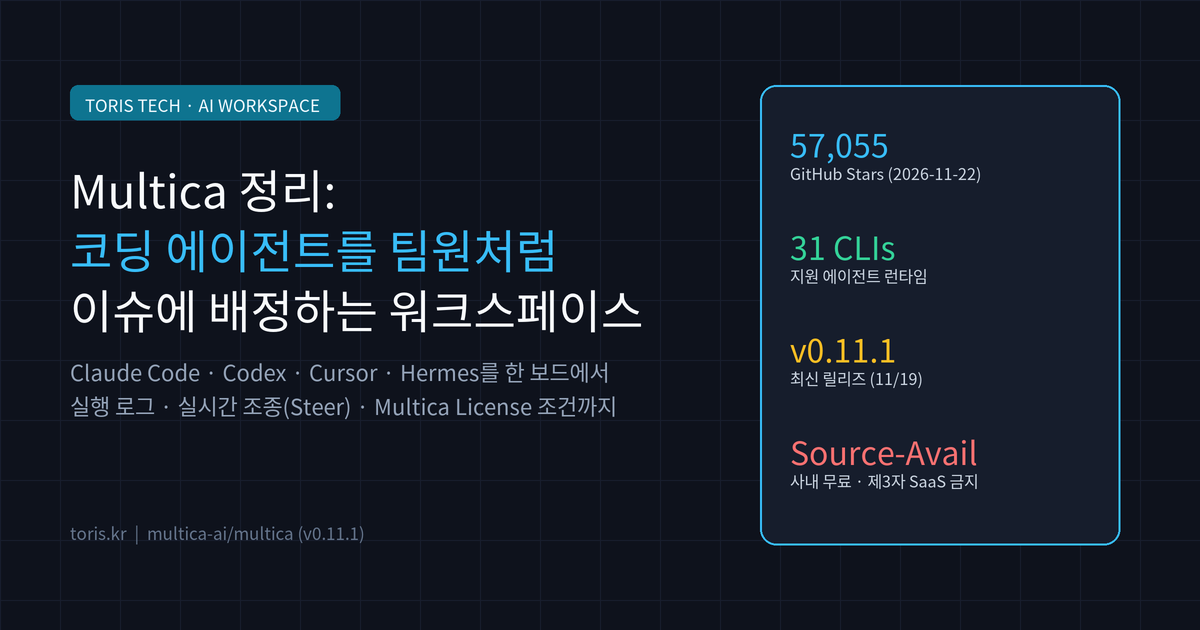
Q. Can you stop re-explaining the same context across separate terminal tabs for Claude Code, Codex, and Cursor?
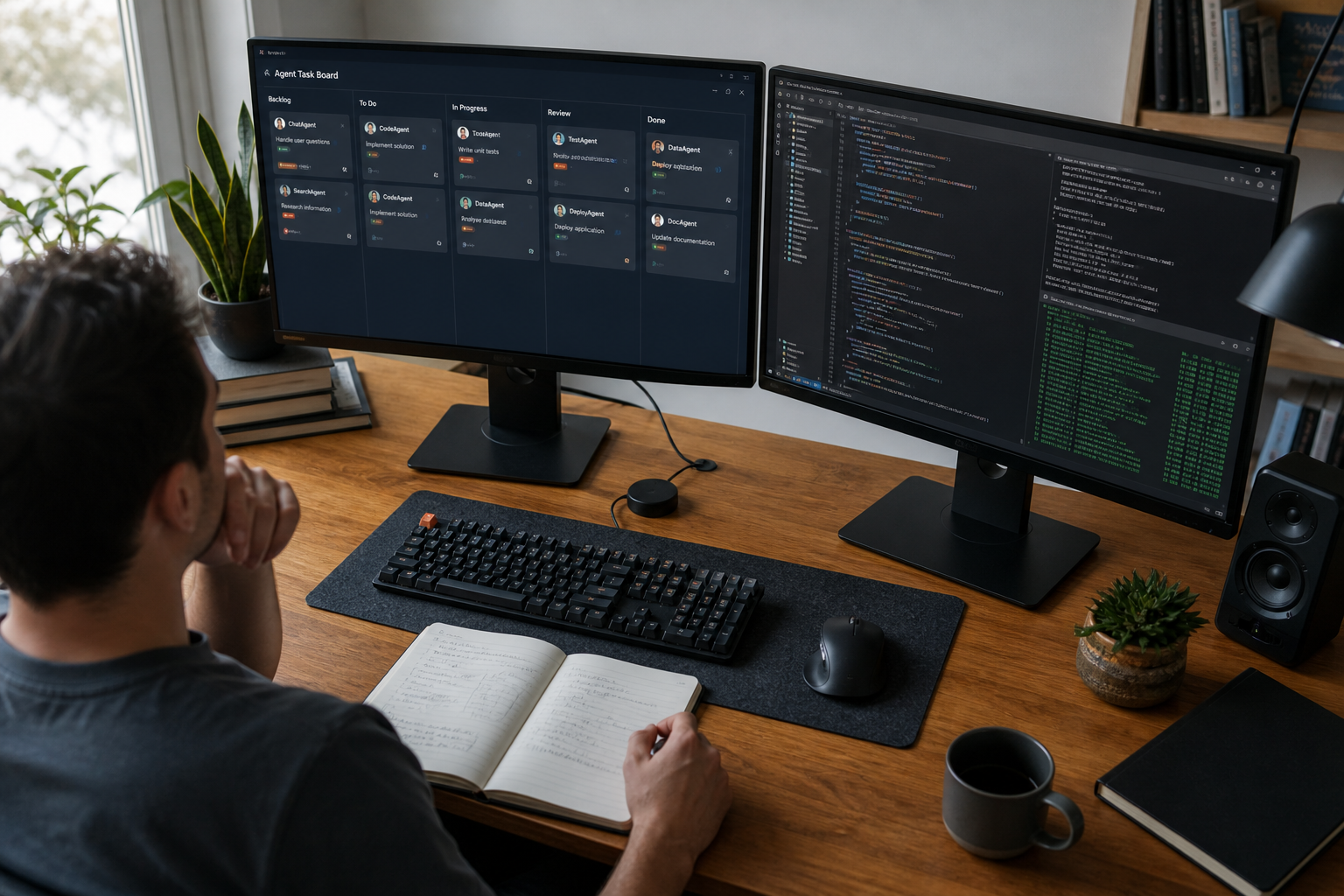
multica-ai/multicadoes not build another model or agent. Instead, it turns the coding-agent CLIs already installed on your laptop or server into board-level teammates—letting you assign issues, inspect execution logs, steer live runs, and gate merges in one workspace.
⚠️ Accuracy guardrail: This post reflects what was directly verified on November 22, 2026 from the
multica-ai/multicaGitHub repository (57,055 Stars, 7,515 Forks, latest releasev0.11.1on November 19), the verbatimLICENSEfile, andmultica.ai. Note that the repositoryREADME.mdRuntimes table lists 31 supported CLIs while themultica.aiFAQ says 29; this article uses 31 per the current source table and notes that discrepancy. Paid tier pricing on the hosted cloud was not inspected behind checkout screens.
30-second summary
- Core idea: Drives locally installed coding-agent CLIs (
claude,codex,cursor-agent,hermes,opencode, and 26 others) through a local daemon (Runtime) so agents can be assigned issues and@-mentioned like teammates. - Control loop: Includes live
Steerinjection (6 CLIs supported), timestampedExecution logreplays,Usage analytics, and humanReview gates. - Deployment: Available as
multica.aiCloud, Desktop apps (macOS, Windows, Linux), or self-hosted via Docker Compose and Helm. - License boundary: Not OSI-approved MIT or plain Apache 2.0—it uses the source-available Multica License. Internal organizational self-hosting is free, whereas third-party hosted SaaS or commercial embedding requires a commercial license even if offered free of charge.
The problem Multica targets: terminal tab fatigue
Running one AI coding agent in a single terminal tab works fine. Once you fix backend code with Claude Code, run tests with Codex, and tweak UI with Cursor, context fragments across tabs and disappears when sessions end.
Multica (Multiplexed Information and Computing Agent) borrows its name from the 1960s time-sharing OS Multics. By tying intent, execution logs, blockers, and pull-request diffs to a single issue card, both humans and agents work off the same shared history.
Q. How is this different from wiring MCP servers into Linear or Jira? Standard issue trackers only display status to humans. Multica binds workflow statuses to agent or human owners and runs a local daemon over WebSocket to spawn, retry, and steer actual agent CLI processes.
Architecture and key features: code stays on your machine
Multica pairs a Go backend (Chi + WebSocket) and PostgreSQL 17 with Next.js 16 (App Router) on the web, Electron on desktop, and Expo on iOS. Crucially, agent execution happens on the local daemon (Runtime) on your own computer or server, not on a central server.
- Runtime registration: Desktop registers your machine automatically and detects installed CLIs, or you can link remote Linux boxes via
Team → Runtimes. - Issue assignment & Autopilots: Assign an issue to an agent or schedule recurring cron jobs (
Autopilots) for nightly triage, audits, or dependency updates. - Live Steer & cost tracking: Interject mid-run without waiting for the next turn (
claude,codex,cursor-agent,grok,kiro,pitoday), while tracking per-agent and per-issue usage. - Chat channels: Trigger and follow runs from Slack, Feishu/Lark (mainland China Feishu first), community-maintained DingTalk/WeCom/Telegram, or QR-linked WeChat DMs.
When pairing multiple agents on large repositories, combining pre-indexed code graphs like CodeGraph or real-device automation via Phone Harness as shared skills amplifies throughput.
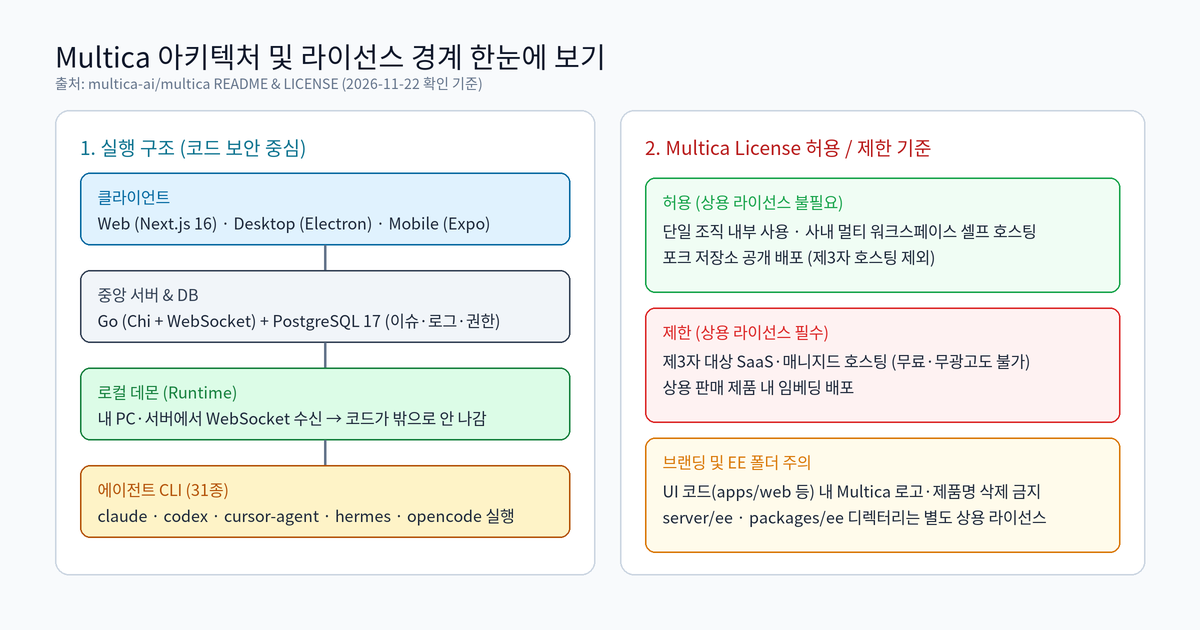
Supported CLIs and deployment options
The README.md Runtimes table lists 31 CLIs in the current source, whereas the multica.ai FAQ states 29. Verify your exact CLI under Team → Runtimes before rolling it out.
| Area | Scope / Options | Notes (verified 2026-11-22) |
|---|---|---|
| Supported agent CLIs | claude, codex, cursor-agent, copilot, opencode, hermes, kimi, kiro-cli, qwen, grok, devin, etc. (31 total) |
Ships no model; drives your already authenticated CLIs |
| Live Steer support | Claude Code, Codex, Cursor Agent, Grok, Kiro, Pi | Inject guidance into an active run |
Cloud (multica.ai) |
Zero-setup hosted workspace | Free / Pro / Business plans (v0.11.1) |
| Desktop | macOS, Windows, Linux | Auto-registers host machine as a Runtime |
| Self-hosting | Docker Compose / Helm (install.sh --with-server) |
Full control over DB, server, and collab service |
License terms you must check before adopting
Although often called "open-source" in headlines, the LICENSE file combines Apache License 2.0 (Part II) with Part I Additional Conditions—and Part I overrides Part II whenever they conflict.
- Free for internal use: Running Multica across multiple workspaces inside a single organization requires no commercial license.
- No third-party hosting or embedding: Offering Multica as a hosted/managed SaaS to external users—even free of charge and ad-free—or embedding it into a commercial product requires a commercial license from
multica.ai/contact-sales. - Branding &
ee/directories: Removing or altering the Multica logo, name, or attribution in UI code (apps/web/,apps/desktop/,apps/mobile/, etc.) requires a written waiver, andserver/ee/andpackages/ee/carry separate commercial licenses.
Q. What happens to contributions submitted upstream? Under Part I Section 2 of the
LICENSE, contributors agree that Index Labs (Hong Kong) Limited may use contributed code in its commercial cloud offerings and may adjust the Multica License terms in the future.
Toris's take
If you are a solo maker or small team already juggling two or more paid coding-agent CLIs, Multica solves a real coordination bottleneck. It shines when you want overnight Autopilots or structured PR reviews instead of babysitting terminal tabs.
- Good fit: Self-hosting on your own Linux box or Mac to manage multiple agents under one Kanban board and audit trail.
- Skip it if: You plan to white-label the UI into an external SaaS product without a commercial agreement, or if a single CLI session already covers your workflow—in which case lighter automation like what we build at Toris Studio Services is easier to maintain.
Sources
Advertisement