AFFiNE Guide: Local-First Open-Source Notion & Miro Alternative
A verified breakdown of AFFiNE (76.1k+ GitHub stars): BlockSuite and Rust y-octo architecture, MIT/MPL 2.0/EE licensing, and Cloud vs. Self-Hosted pricing.
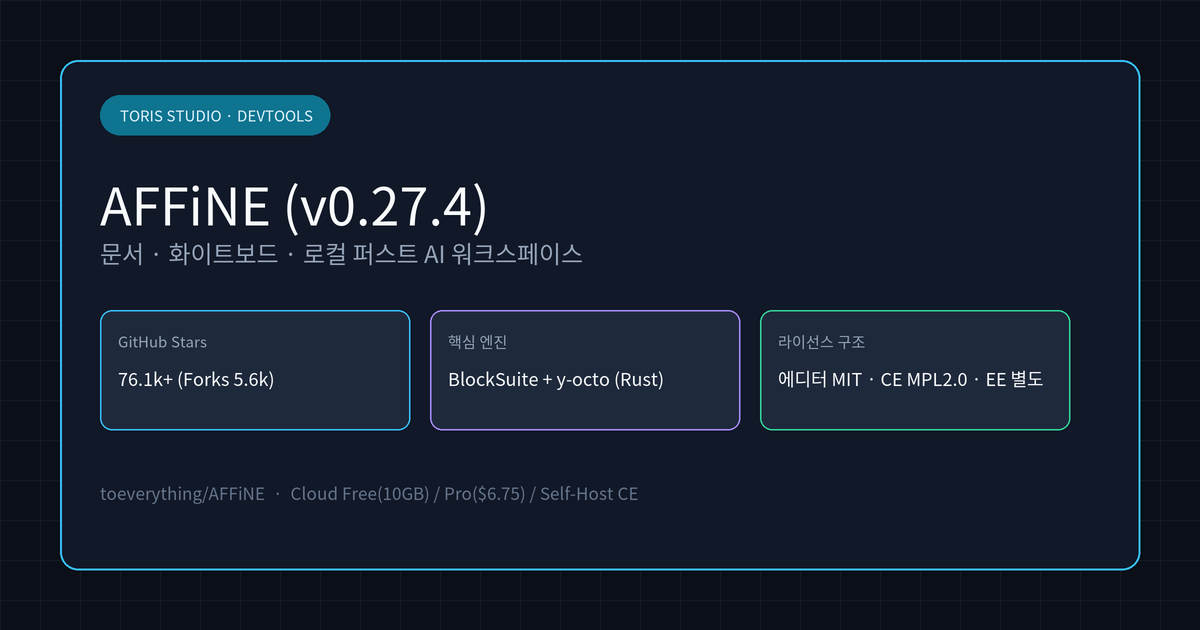
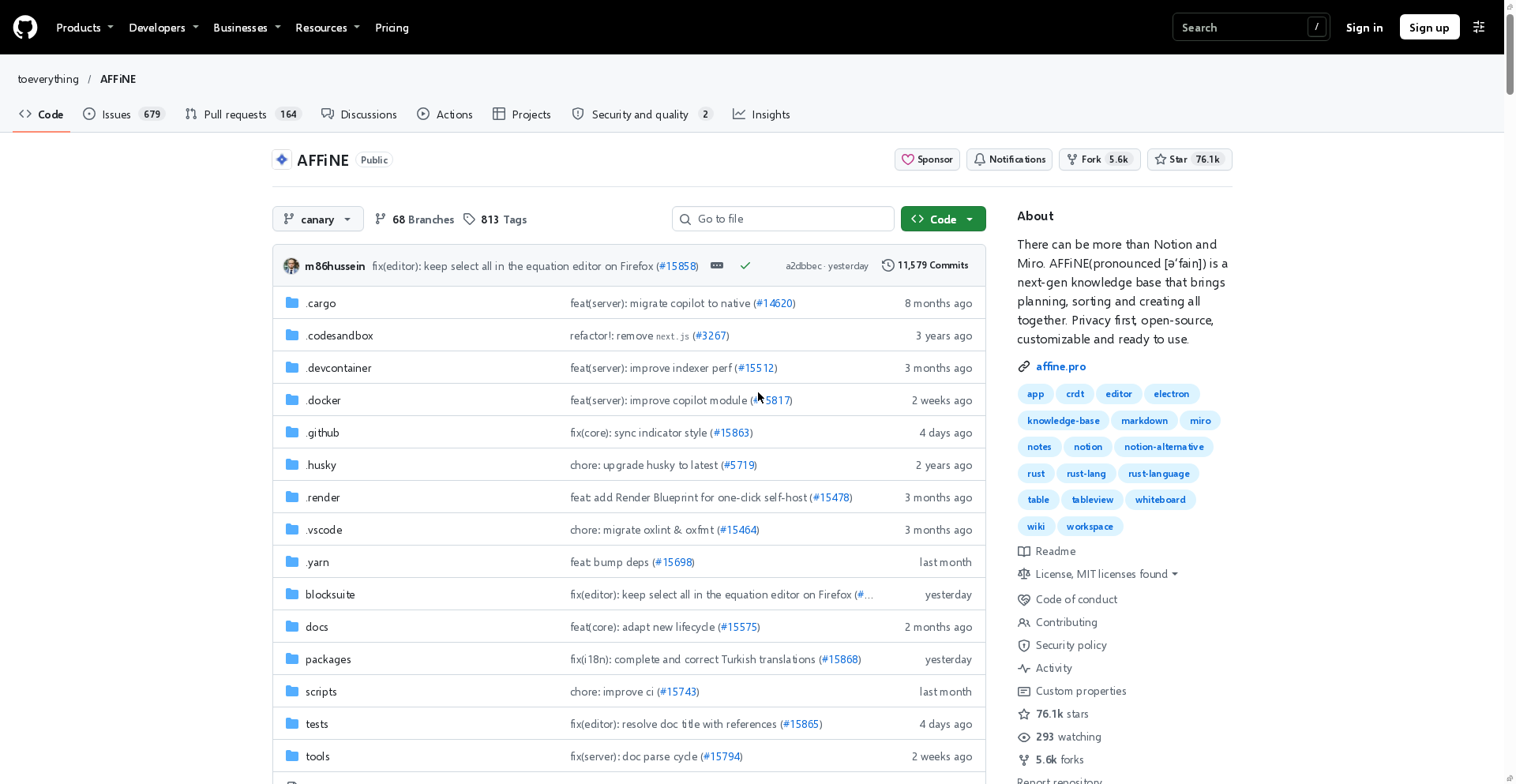
Q. How far can you use AFFiNE for free as an open-source alternative to Notion and Miro, and can you self-host it? The personal Cloud Free plan has no time limit and includes unlimited local workspaces, 10 GB of cloud storage, up to 3 members per workspace, and 7 days of version history. While the editor (BlockSuite) is MIT-licensed,
packages/backendandpackages/common/nativesplit into MPL 2.0 for the Community Edition (CE) and a commercial subscription license for Enterprise Edition (EE), so check those license files before running a production server.
⚠️ Accuracy guardrail: This guide is based on direct verification on November 22, 2026 of the official
toeverything/AFFiNEGitHub repository (canarybranch, latest stable releasev0.27.4), rootLICENSE,packages/backend/server/LICENSE, and the official pricing page (affine.pro/pricing). Features, pricing, and license terms may change in future releases, and this analysis reflects official documentation and source files rather than an internal cluster benchmark by Toris Studio.
30-second summary
- Docs and whiteboard merged: Every block works seamlessly across rich-text documents and an edgeless whiteboard canvas, including multi-view databases, sticky notes, web embeds, and slides.
- Local-first Rust engine: Beneath the TypeScript (81.4%) UI, Rust (11.5%) powers
y-octo(CRDT) andOctoBasefor disk-first storage and real-time sync. - GitHub traction: Reached 76,114 Stars and 5,590 Forks as of November 22, 2026, and ranked #1 in the Nov 21
@torisstudiokrGitHub trending roundup. - Three-tier license model: Root and editor code are MIT, backend Community Edition (CE) is MPL 2.0, and Enterprise Edition (EE) features require a paid EE subscription.
Where AFFiNE differs from Notion and Miro
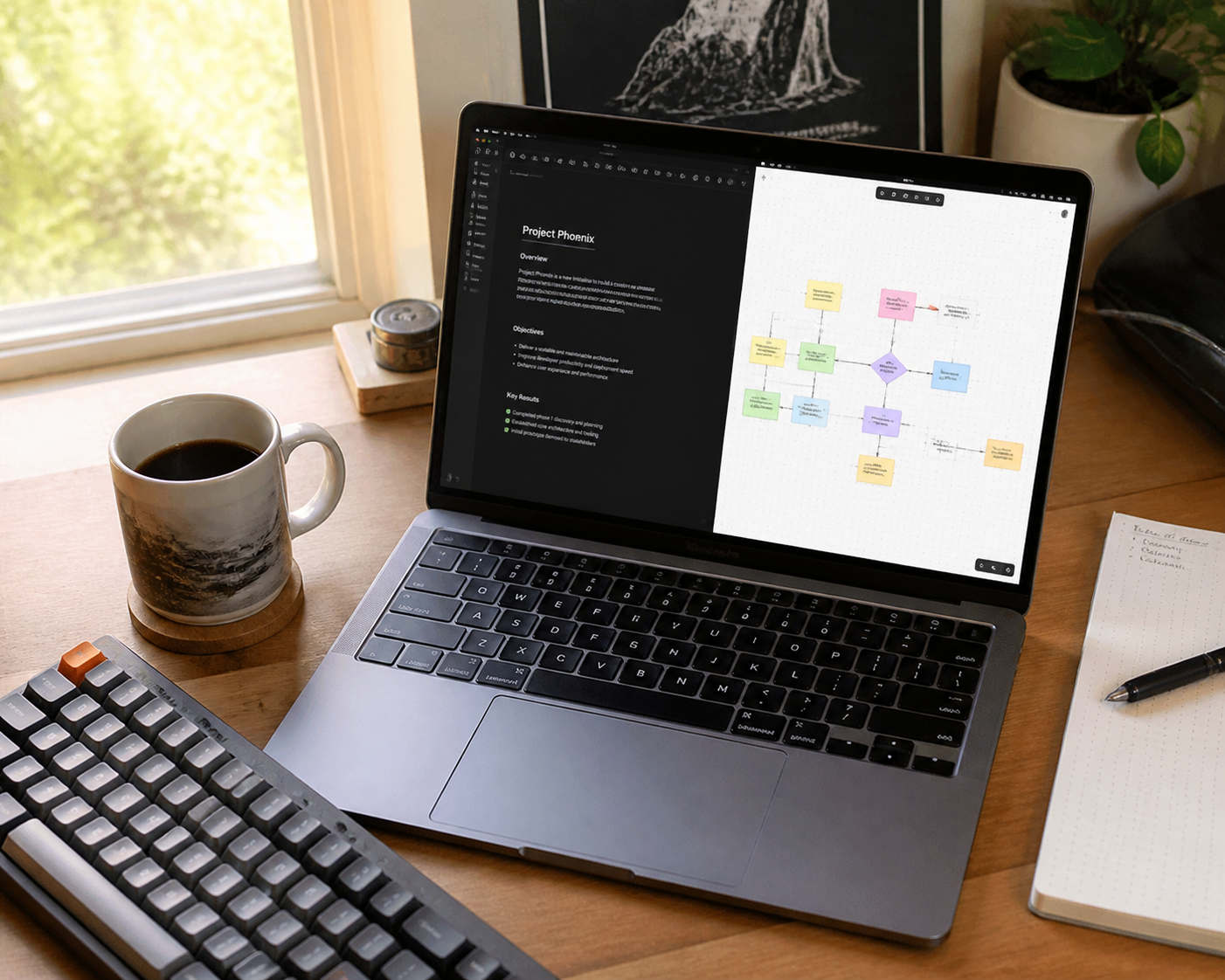
AFFiNE is not a doc app with a whiteboard bolted on; it treats every block as native to both document mode and an infinite canvas.
In typical workflows, you write specs in Notion, switch to Miro or FigJam for flowcharts, and paste static screenshots back into the doc. AFFiNE uses BlockSuite so rich text, tables, Kanban boards, sticky notes, shapes, and embedded web pages behave as equal blocks on one canvas.
For solo developers and small teams, keeping early sketches, technical specs, and presentation slides inside one workspace reduces context switching. Just like the local video workflow covered in our FreeVideo guide, it fits builders who want less cloud lock-in.
Local-first architecture: BlockSuite, y-octo, and OctoBase
Your data is saved to your local disk first, with real-time cloud sync layered on top when available.
The repository breaks down into TypeScript (81.4%), Rust (11.5%), Swift (4.7%), and Kotlin (1.1%). BlockSuite handles the collaborative block editor, while Rust-based y-octo and OctoBase drive CRDT conflict resolution and lightweight local storage.
That architecture lets you edit offline on desktop (Electron) with zero network lag and merge changes across web and desktop clients once reconnected. Similar to the on-device workflow in our BitNet CPU inference guide, your notes remain accessible even if a cloud service goes down or changes terms.
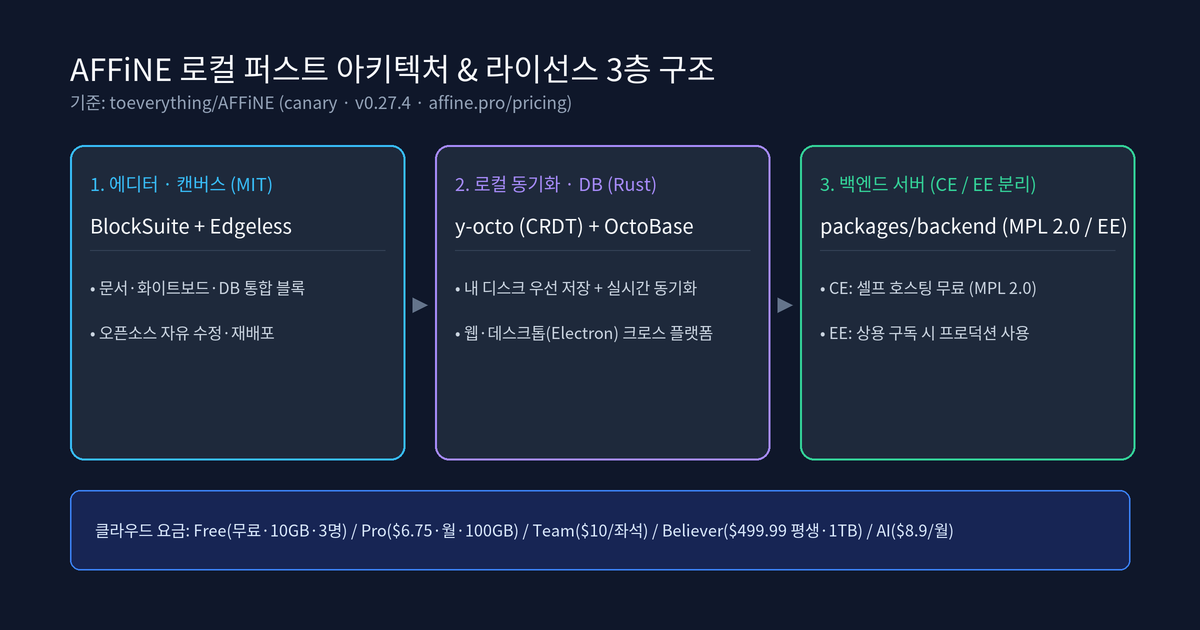
Three-tier licensing to check before self-hosting
Even though GitHub displays MIT at the repository level, packages/backend and packages/common/native carry separate terms.
Inspecting the root LICENSE file explicitly points to packages/backend/server/LICENSE for server and native components.
| Layer | Scope | License | Practical note |
|---|---|---|---|
| Editor & frontend | BlockSuite and general code | MIT | Free to modify, redistribute, and embed |
| Backend CE | Community Edition distribution | MPL 2.0 | Free to self-host; check source-disclosure terms for edits |
| Backend EE | Enterprise Edition features | AFFiNE EE License | Free for dev/test only; production requires an EE subscription |
Individuals and small teams can self-host the Community Edition via Docker or Render Blueprint (.render) at no cost, while production deployments using EE capabilities such as custom rebranding, SSO, or advanced audit logs require an Enterprise license.
Q. Is the Cloud Free plan enough for solo builders? If you work solo or with up to 3 teammates, AFFiNE Cloud Free (unlimited local workspaces, 10 GB cloud storage, 10 MB max file size, 7-day version history, and up to 3 devices) is usable indefinitely at zero cost.
Cloud pricing and AFFiNE AI add-on
If you prefer managed hosting over running your own server, pricing scales by storage, workspace seats, and optional AI.
The official affine.pro/pricing tiers (reflecting annual billing where noted) break down as follows:
| Plan | Price | Storage & file limit | Collaboration & history |
|---|---|---|---|
| Cloud Free (Basic) | Free | 10 GB · 10 MB per file | Up to 3 members · 7-day history · 3 devices |
| Pro | $6.75 / mo | 100 GB · 100 MB per file | Up to 10 members · 30-day history |
| Team | $10 / seat / mo | 100 GB + 20 GB/seat · 500 MB | 10+ seats · multi-admin roles · priority support |
| Believer (Lifetime) | $499.99 (one-time) | 1 TB | Lifetime personal Pro access (no subscription) |
| Self-Hosted Team | $10 / seat / mo | Self-managed infrastructure | Multi-admin roles · priority support · 10+ seats |
| AFFiNE AI (Add-on) | $8.9 / mo | Writing, mind maps, slides | Optional add-on billed annually |
Toris's take
For solo developers who want Notion's structured docs and Miro's visual canvas in a single local-first app, AFFiNE is well worth testing right away.
- Starting with zero ops: Try
app.affine.proon the Free plan first to test unlimited local workspaces with 10 GB of cloud sync. - Planning a self-hosted deployment: Use Docker or Render for the Community Edition (CE), and review
packages/backend/server/LICENSEbefore enabling any EE modules or commercial rebranding. - Migrating from Notion: Larger organizations relying on granular enterprise permissions may still prefer Notion or Confluence for company-wide wikis, so piloting AFFiNE on product specs and architecture whiteboards is the safest path.
Sources
Advertisement