Firecrawl & Firecrawl Local: Turn Websites into AI Markdown & MCP Locally
How to run GitHub Trending #1 Firecrawl Local without Docker or a database, connect it to Claude Code and Cursor via MCP, and compare Local vs. Cloud.
Q. Is there a tool that turns websites into AI-ready markdown on my own machine without a database or Docker? Yes—use Firecrawl Local (
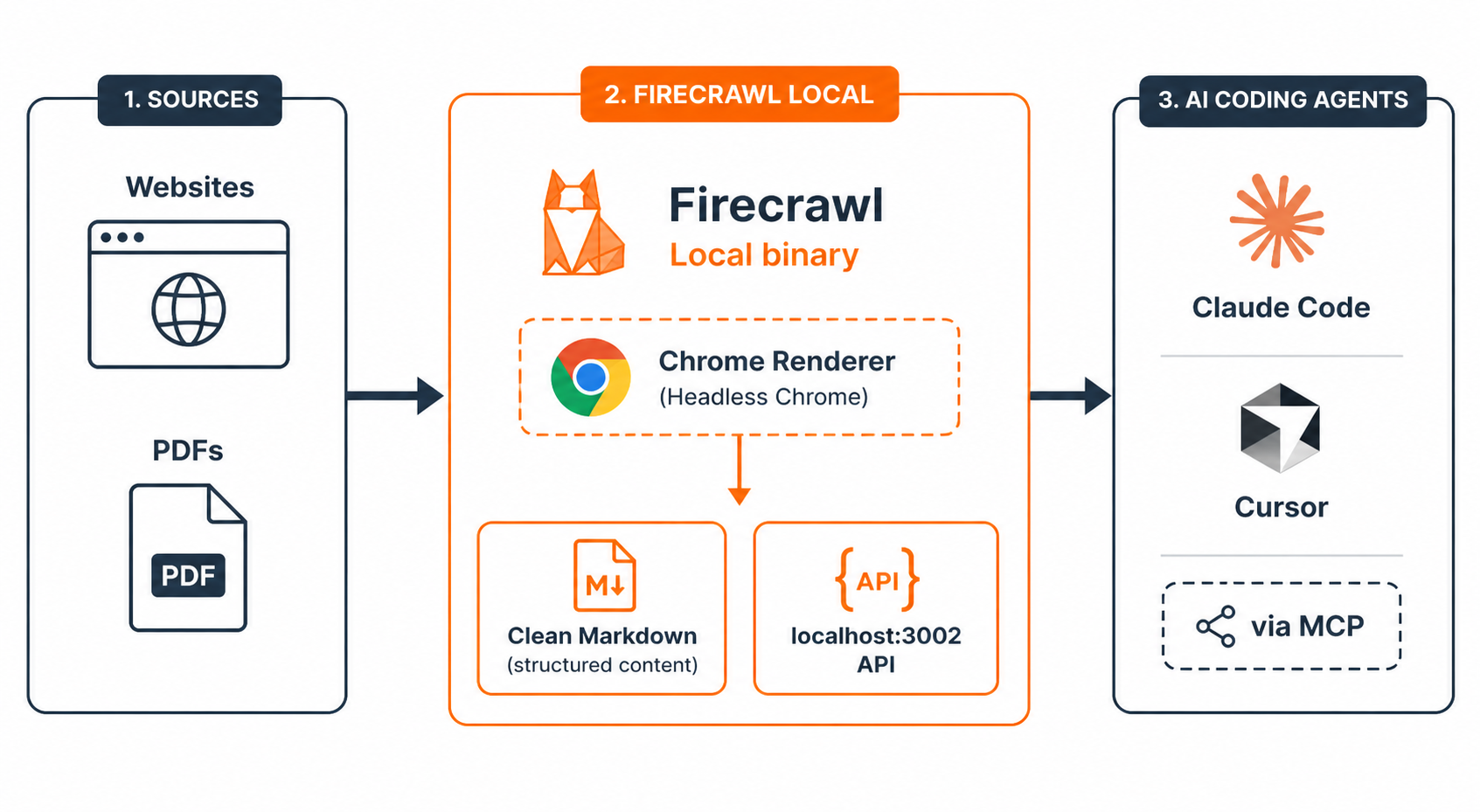
cargo install firecrawl-local). It runs as a single Rust-installed binary using your local Chrome or Chromium to convert static/dynamic pages, PDFs, and Office documents into clean markdown, andfirecrawl-local initautomatically registers it as an MCP server for Claude Code, Cursor, Windsurf, and more. If you prefer zero local setup, Firecrawl Keyless on the cloud gives you 1,000 free credits per month with no API key or signup.
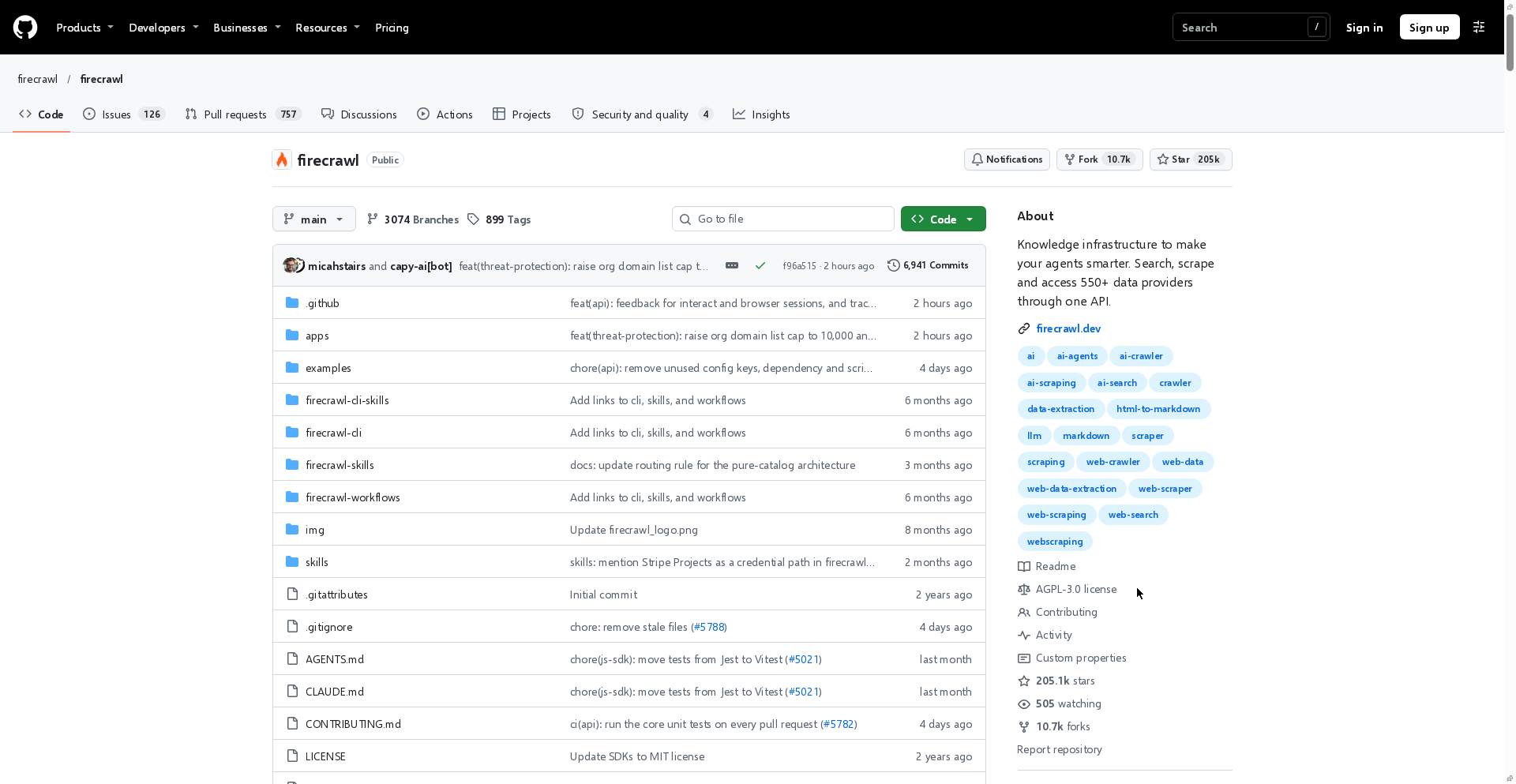
⚠️ Accuracy guardrail: This guide was written on November 21, 2026, by cross-checking the official firecrawl/firecrawl GitHub repository (205,091 stars, 10,748 forks, AGPL-3.0 / MIT for SDKs, latest release
v2.11.0), its official README, and Toris Studio's November 20 GitHub Trending Top 10 video. Web coverage (96%) and P95 latency (3.4s) figures for Firecrawl Cloud come from the official README; real-world results vary depending on target sites' anti-bot policies and local browser setup.
30-second summary
- Firecrawl Local: Run
scrape,crawl, andmapon your machine as a single binary—no database, queue, or container—and serve the Firecrawl v2 API onlocalhost:3002. - One-command MCP setup:
firecrawl-local initbacks up existing configs and registers Firecrawl Local as an MCP server in Claude Code, Claude Desktop, Cursor, Windsurf, Gemini CLI, and Codex (requires Node.js 22+). - Cloud fallback & strict local isolation: By default, single-page scrapes that fail locally fall back to Firecrawl Cloud (limited keyless rate), while
FIRECRAWL_CLOUD=offkeeps every request strictly on your machine. - Keyless & Alexandria: Firecrawl Cloud provides 1,000 free monthly credits without an API key, and scales up to 550+ data providers (Alexandria), prompt-driven browser actions (Interact), and autonomous retrieval (Agent).
Why Firecrawl became a standard data layer for AI agents
Firecrawl is not just an HTML parser—it is knowledge infrastructure built to feed LLMs clean markdown and structured JSON without wasting context tokens.
Traditional web scrapers pull in navigation bars, ad scripts, and deeply nested <div> wrappers that bloat prompt costs. Firecrawl focuses on main-content markdown extraction by default and ships official SDKs across Python, Node.js, Go, Rust, Java, Ruby, .NET, PHP, and Elixir alongside MCP support. When building agent-native developer workflows—such as those covered in our CLI-Anything agent-native harness guide—Firecrawl frequently serves as the web-ingestion layer.
Firecrawl Local: running without databases or containers
Firecrawl Local strips away the Redis, PostgreSQL, and Docker Compose overhead of full self-hosting so developers can run core scraping and crawling from a single local binary.
It installs from crates.io and requires Rust plus a C compiler (xcode-select --install on macOS, build-essential on Debian/Ubuntu). Once installed, you can scrape single pages, crawl documentation trees, map site URLs, or expose a local v2 API server immediately.
# 1. Install Firecrawl Local (requires Rust + C compiler)
cargo install firecrawl-local

# 2. Scrape a single page into clean markdown
firecrawl-local scrape https://firecrawl.dev --markdown

# 3. Crawl up to 50 pages and save markdown files locally
firecrawl-local crawl https://docs.firecrawl.dev --limit 50 --out ./pages

# 4. Start the local Firecrawl v2 API server (http://localhost:3002)
firecrawl-local serve
JavaScript-heavy pages render through the Chrome or Chromium browser already installed on your machine, and PDFs and Office documents are parsed locally as well. Running serve on port 3002 lets existing Firecrawl SDK code work unchanged with no API key simply by pointing api_url to http://localhost:3002.
Firecrawl Local vs. Firecrawl Cloud vs. Self-hosting
Choosing among the three deployment modes comes down to infrastructure overhead, data privacy boundaries, and whether you need cloud-only agent features.
| Feature | Firecrawl Local | Firecrawl Cloud | Full Self-hosting (apps/api) |
|---|---|---|---|
| Setup & Infra | Single binary via cargo install (no DB/queue) |
Zero setup (firecrawl.dev / Keyless) |
Docker Compose + Redis + PostgreSQL + browser service |
| Scrape / Crawl / Map | Local execution (local Chrome, PDF, Office) | Cloud execution (96% coverage, 3.4s P95 latency) | Self-managed infrastructure |
| Search / Alexandria | Routed via Cloud (Alexandria needs login) |
Built-in (550+ data providers) | Alexandria not included |
| Interact / Agent / Monitor | Not available (Cloud only) | Supported (spark-2 agent & live browser actions) |
Partial / limited |
| Cost & Free Tier | Free locally / limited keyless fallback | Keyless: 1,000 free credits/mo without signup | Self-hosted server & proxy costs |
A key control here is cloud fallback behavior. When a local single-page scrape fails to load, Firecrawl Local falls back to Firecrawl Cloud by default and tags the output with "source": "firecrawl-cloud". For internal wikis or sensitive URLs, setting FIRECRAWL_CLOUD=off guarantees nothing leaves your machine.
Practical tips for connecting Claude Code and Cursor via MCP
firecrawl-local init scans your machine for supported AI coding tools and wires up the local MCP server automatically.
According to the official README, init supports Claude Code, Claude Desktop, Cursor, Windsurf, Gemini CLI, and Codex, and backs up every config file before editing. Because the MCP server itself requires Node.js 22 or newer, verify node -v beforehand. If you do not want to install a Rust toolchain, running npx -y firecrawl-cli@latest init --all --browser connects your agent to Firecrawl Cloud with 1,000 free monthly Keyless credits. Pairing web ingestion with a browser-based plan review loop—like the one in our Plannotator plan and code review guide—creates a clean research-to-review workflow.
Toris's take
If your goal is giving AI agents clean web context, you no longer need to spin up Redis and PostgreSQL or commit to a paid API on day one.
- Internal docs, zero cost, strict privacy: Install
firecrawl-local, setFIRECRAWL_CLOUD=off, and runfirecrawl-local initto feed documentation and local PDFs straight into Claude Code or Cursor. - No Rust toolchain / quick prototyping: Start with
npx -y firecrawl-cli@latestand Firecrawl Keyless (1,000 free monthly credits) to validate your workflow in minutes. - Bot-protected sites & autonomous research: When you need 96% web coverage,
Interact,Agent, orAlexandria's 550+ data providers, Firecrawl Cloud saves far more engineering time than maintaining proxies yourself.
Regardless of mode, end users remain responsible for respecting target websites' robots.txt and terms of service, and teams modifying or redistributing the core server should review its AGPL-3.0 license (while the SDKs are MIT-licensed).
Sources
Advertisement