Google Gemini GIF Maker: Create 3-Second Looping GIFs with Omni 1.2 Flash
How Google's Gemini Omni 1.2 Flash GIF generator works, the 8-country rollout including South Korea, and how it compares to standard AI video generation.
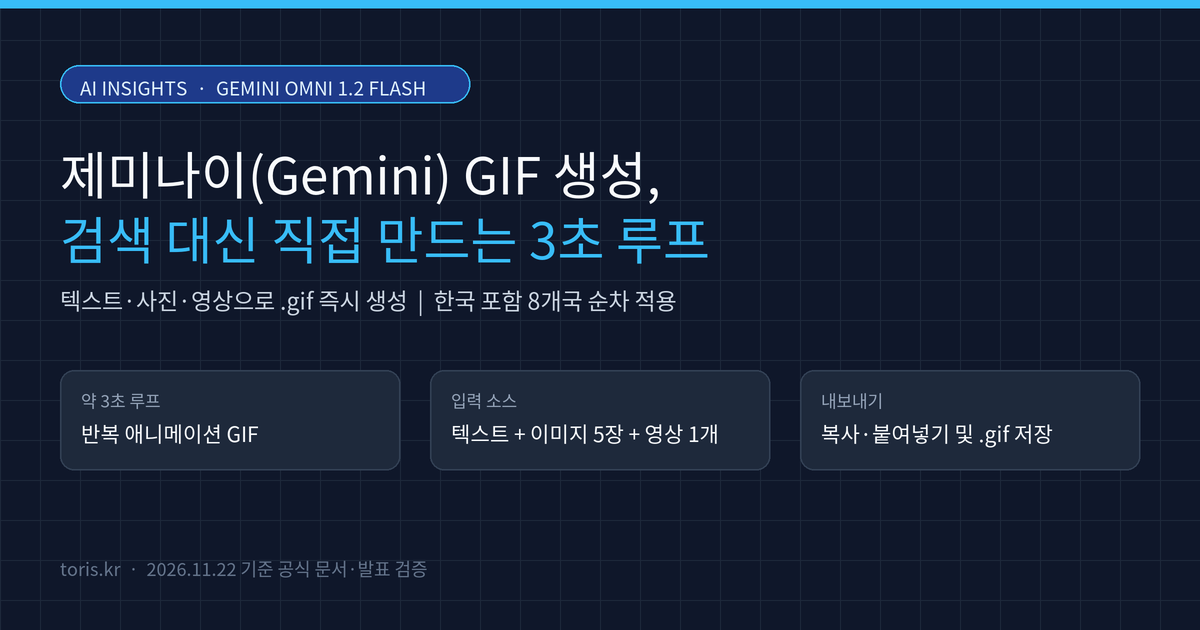
Q. Can you create animated GIFs directly inside Gemini? Yes. With the GIF creation feature powered by Gemini Omni 1.2 Flash announced by Google on November 20, 2026, you can generate ~3-second looping
.gifanimations from text, up to 5 images, and 1 video, then copy-paste or download them right away. It is rolling out gradually across eight countries including South Korea.
⚠️ Accuracy guardrail: This guide is based on the Google Gemini Apps Help documentation, Google's official
@GeminiAppannouncement, and tech press reports as of November 22, 2026. While the official support page still states that a personal account needs a Google AI plan, reports from November 20–21 note that free users in eight launch countries—including South Korea and the US—are also receiving gradual access, so availability may vary by account.
30-second summary
- Model and duration: Powered by Gemini Omni 1.2 Flash, Gemini generates smooth looping GIFs that run for approximately 3 seconds.
- Inputs and editing: Combine text prompts with up to 5 reference images and 1 video, and refine results through multi-turn conversational edits.
- Export options: Copy and paste directly as an animated GIF into messaging apps, emails, and docs, or download a standard
.giffile. - Availability: Rolling out gradually to users aged 18+ in eight countries: Australia, Canada, France, Germany, Japan, South Korea, the UK, and the US.
Why generating GIFs beats searching reaction libraries
Until now, finding the right reaction GIF for Slack, team chats, or a slide deck meant scrolling through Giphy or Tenor and settling for a clip that only loosely fit the context.
On November 20, 2026, Google announced on X (@GeminiApp) that Gemini users can now generate custom GIFs instead of searching for them. Because you can describe an exact scene or animate an uploaded photo into a loop, solo developers and creators can produce tailored reaction cuts or lightweight product snippets in minutes.
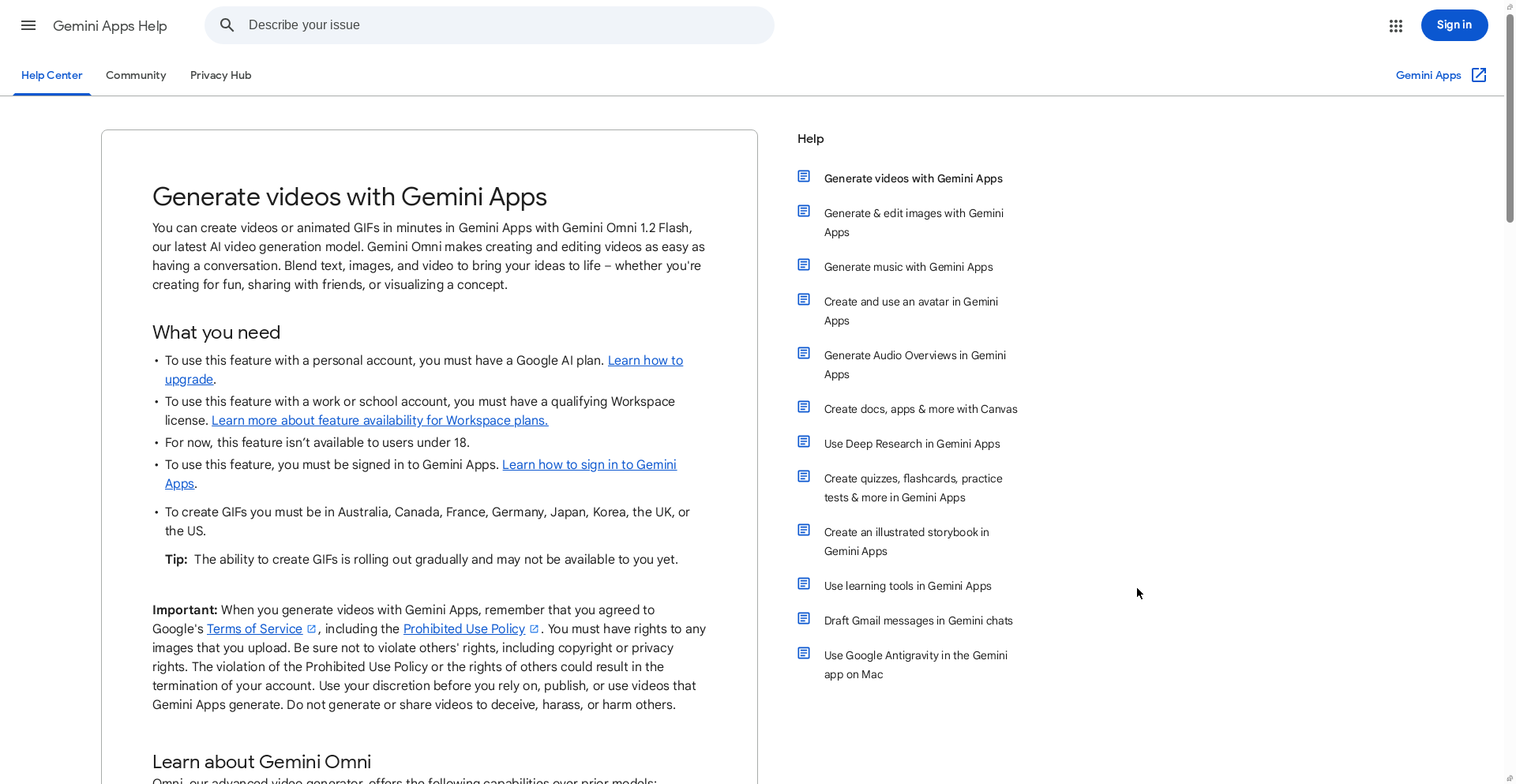
Gemini Omni 1.2 Flash specs: GIF creation vs. standard AI video
GIF creation in Gemini runs on Gemini Omni 1.2 Flash, Google's latest video generation model, rather than a simple low-res converter. According to the official Help documentation, GIF mode differs from standard video generation in length, export flow, and regional availability.
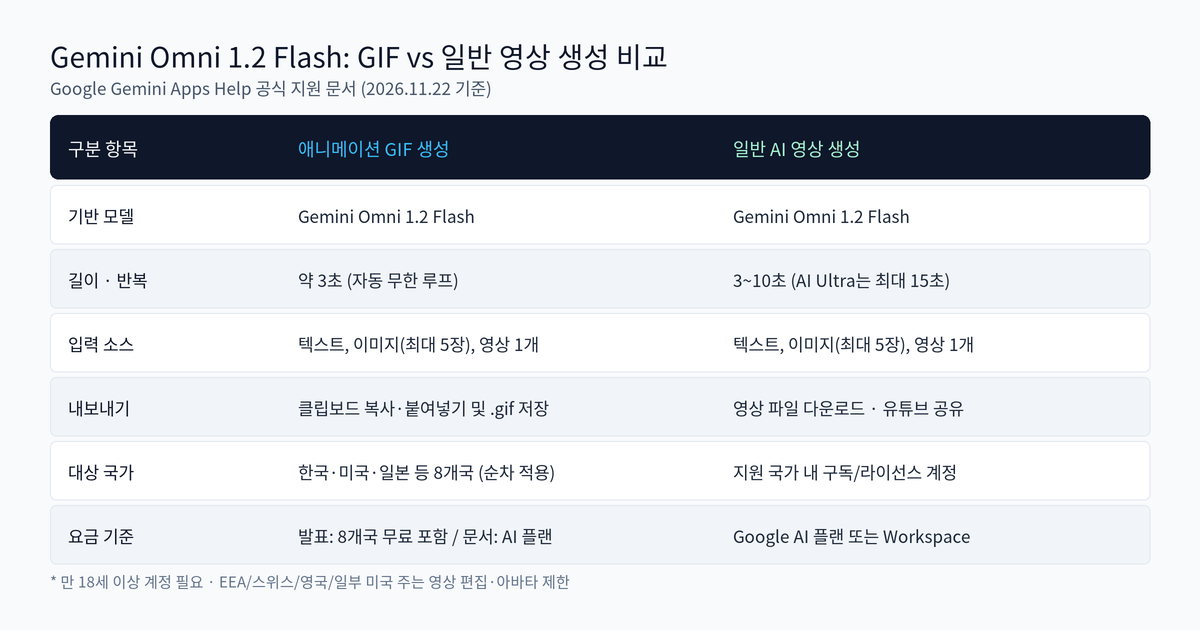
| Comparison item | Animated GIF creation | Standard AI video generation |
|---|---|---|
| Underlying model | Gemini Omni 1.2 Flash | Gemini Omni 1.2 Flash |
| Clip length | ~3 seconds (auto-looping) | 3–10 seconds (up to 15s on AI Ultra) |
| Input limits | Text, up to 5 images, 1 video | Text, up to 5 images, 1 video |
| Aspect ratio | Landscape default for text; matches upload | Selectable before generation |
| Export | Copy-paste and .gif file download |
Video download and YouTube share |
| Target regions | 8 countries including South Korea and US (gradual) | Supported regions with qualifying plans |
Because Omni 1.2 Flash improves frame-to-frame consistency, subjects stay steadier across the 3-second loop. After generation, you can keep editing in the same thread—swapping characters, removing objects, or changing camera angles—using multi-turn prompts.
Step-by-step workflow to create and share a GIF on desktop
On the web (gemini.google.com), generating a GIF takes five steps. You can also brainstorm and refine your prompt in the main Gemini chat first so you do not need to open the Video tool separately.
- Open
gemini.google.comon your computer and sign in. - Click Open Sidebar in the top-left corner and select Create video.
- (Optional) Pick a premade template for reaction memes or stylized loops.
- Enter your prompt. To animate or reference files, click Add image (up to 5) or Add video (1), or type
@[username]to include an avatar. - Click Submit and wait a few minutes. While Gemini generates the GIF, that chat thread is locked for new input, so open a new chat if you want to keep working in parallel.
Once ready, you can copy and paste the GIF directly into docs, emails, messages, and social posts, or download it locally as a .gif file.
Q. Are video uploads and avatar features available everywhere? No. According to Google's Help page, uploading videos for video-to-video edits and creating or sharing avatars are not available in the EEA, Switzerland, the UK, and some US states. South Korea is included in the eight GIF launch countries, though gradual rollout means some accounts may still be waiting.
Clearing up the free vs. paid plan discrepancy
One detail that can trip up users right now is plan eligibility. Under the "What you need" section of Google's Help Center article, the text still states that personal accounts require a Google AI plan (and work/school accounts need a qualifying Workspace license).
However, tech coverage from Digital Trends, The Verge, and Neowin citing Google's November 20 announcement notes that while global rollout targets Google AI subscribers, free users in the eight launch countries—including South Korea, the US, Canada, the UK, Japan, Australia, Germany, and France—are also getting access. The product announcement appears ahead of the Help doc text update, so if the option is missing on a free account, it may simply be mid-rollout.

If you prefer running local AI video models on your own GPU, check our FreeVideo local MiniMax H3 guide. For team collaboration inside ChatGPT, see ChatGPT Space Plus expansion, or visit Toris Services to see how we evaluate AI tools.
Toris's take
- When you need a 3-second reaction cut for chat, docs, or blogs: Generating a custom GIF inside Gemini and copy-pasting it directly is far faster than hunting through stock GIF libraries.
- When you need product demos longer than 3 seconds or audio: GIFs are silent and capped around 3 seconds, so switch to standard Gemini Omni video generation (3–15 seconds with audio) or a local video workflow.
- If a free South Korean account does not show the feature yet: Wait a few days for the gradual rollout before upgrading solely for GIFs, and check the sidebar menu on
gemini.google.comagain.
Sources
- Generate videos with Gemini Apps - Computer - Gemini Apps Help
- Google Gemini official X announcement (@GeminiApp) - quoted by Android Authority
- Google’s Gemini app can now make GIFs - The Verge
- Forget searching for GIFs, Gemini can now make its own - Digital Trends
- Google follows ChatGPT with AI-generated GIFs in Gemini - Neowin
Advertisement